Introducing Non-Conductive Enclosures in HIFREQ,
Right-of-Way, and MALZ
In installations where pipelines or cable systems are placed within non-metallic enclosures, such as plastic casings, or within trenches constructed from dry concrete, the carrier pipeline or the enclosed cables are electrically separated from the surrounding soil. This configuration alters the way the enclosed elements interact with the external media and therefore requires a modeling approach that explicitly represents the enclosure.
Support for pipe-type cables with non-conductive enclosures was initially introduced in the TRALIN computation module and presented at the 2025 CDEGS Users’ Group Conference. Building on this capability, CDEGS V21.0 expands support for non-conductive enclosures to the more widely used software packages MultiFields and Right-of-Way (ROWCAD) in V21.0, allowing users to model these configurations directly within standard AC interference workflows. An extension of this capability is introduced in this UGC version and will be available in the upcoming release V22, including support for pipe-type cables with non-conductive enclosures in MultiGroundZ and the Total Interference module of Right-of-Way.
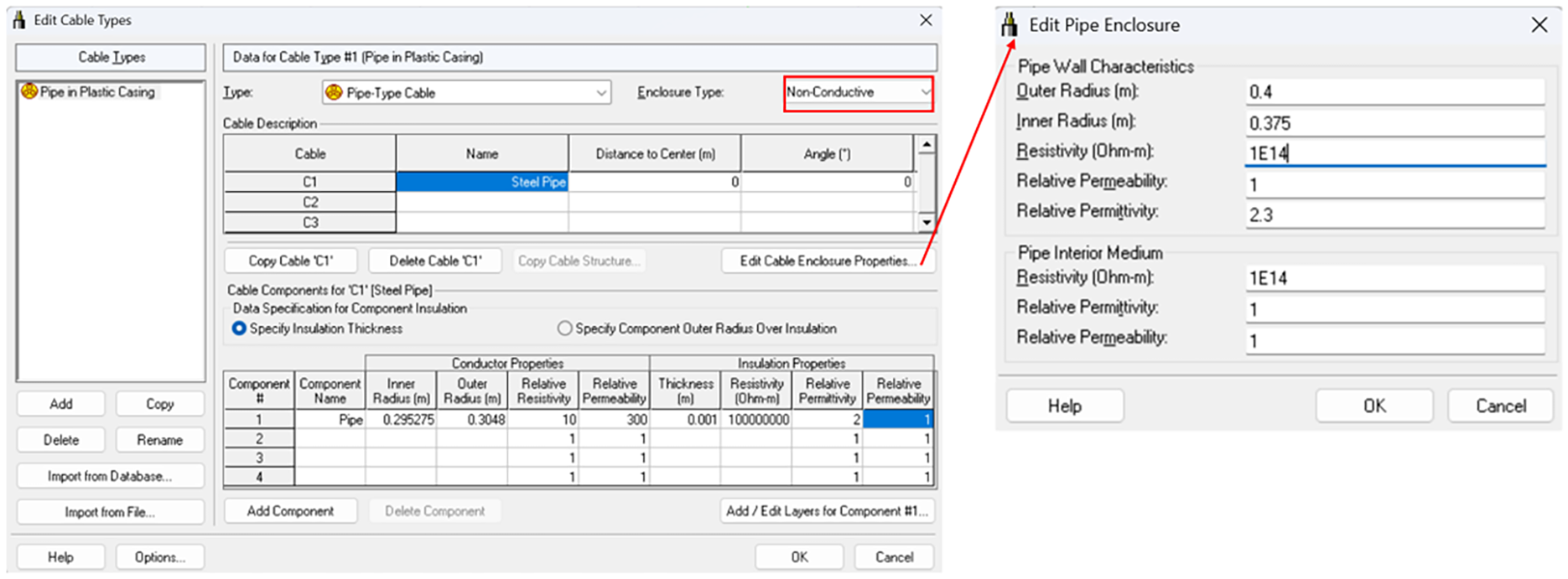
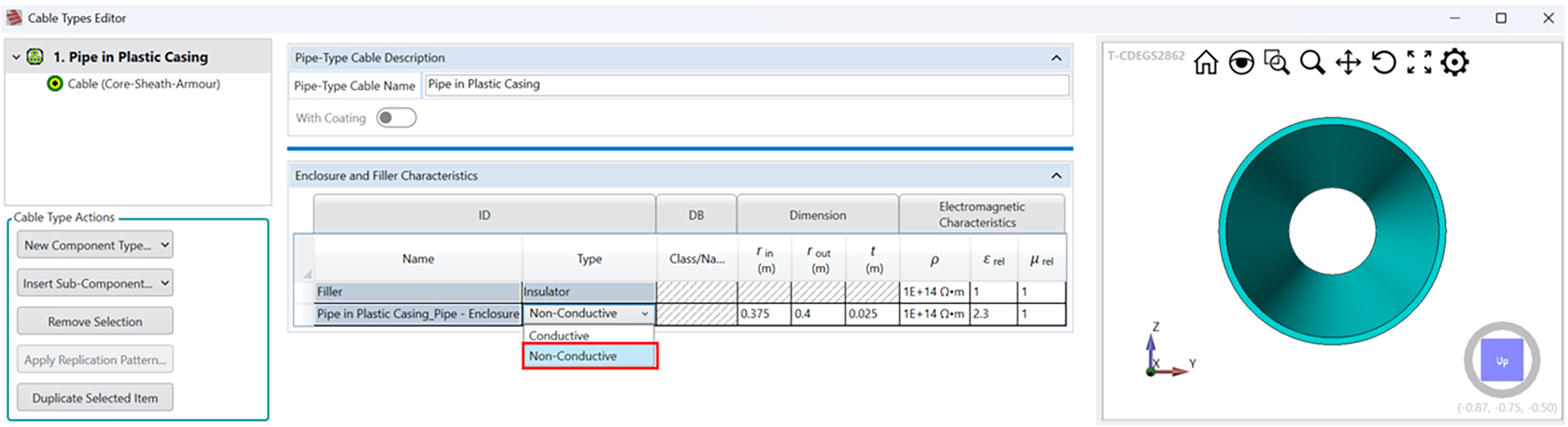
The following figures illustrate how to define a non-conductive enclosure in classical SESCAD and in SESCAD-Release Candidate, and likewise in Right-of-Way (ROWCAD), respectively.
In SESCAD, defining a non-conductive enclosure by setting
Enclosure Type = Non-Conductive and using Edit Cable Enclosure Properties
to specify enclosure and the interior (filler) material properties.
In SESCAD-Release Candidate and Right-of-Way (ROWCAD), defining the enclosure and filler properties by expanding Enclosure and Filler Characteristics, setting
Type = Non-Conductive, and entering material properties for the enclosure and filler.
|